

Tutorial for beginners: A few steps with screenshots in this post will help you learn how to insert and position an image in the sidebar at your blog on Blogspot. We will follow this up with another post explaining the same on blogs hosted at WordPress.
1. Login at your blogspot account. Once you are logged in, on Your Main Page, you will find a option called Dashboard on the top right hand corner.

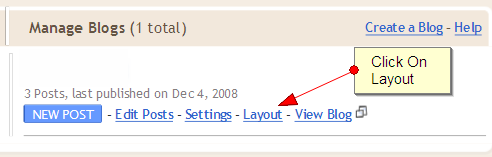
2. In the dashboard page, please click on layout.
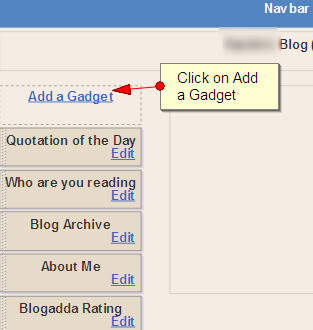
3. When you are on the layout page, You will see an option called “ADD GADGET”.
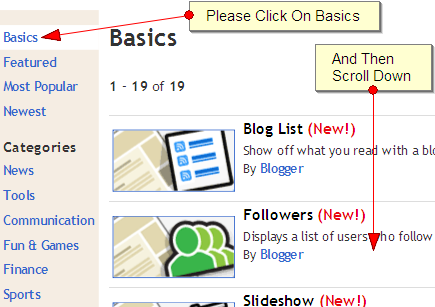
4. When you click on add gadgets, you are taken to the gadgets screen. On the gadgets screen you will find the gadgets menu. On that please click on basic gadgets, and then scroll down ……
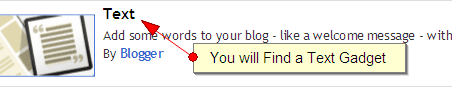
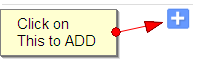
5. You will find the ‘Text’ gadget in the bottom of the page, On the same line you will find the ” + ” symbol. Click on that to ADD
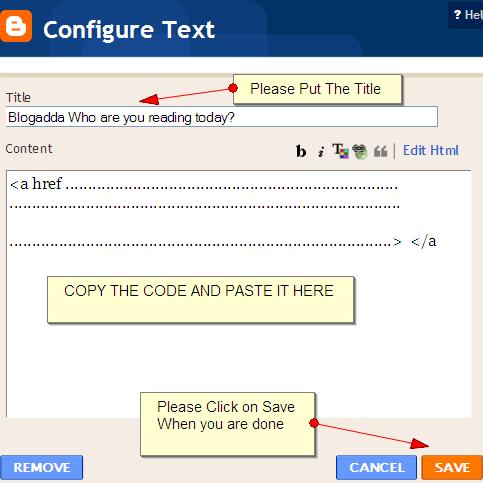
6. When you click on ” + ” button, you will be taken into the configuration screen. In the configuration screen, please put an appropriate title for the image. In the body area, please paste the code which you have copied in the body. Please click on SAVE to finish this step.
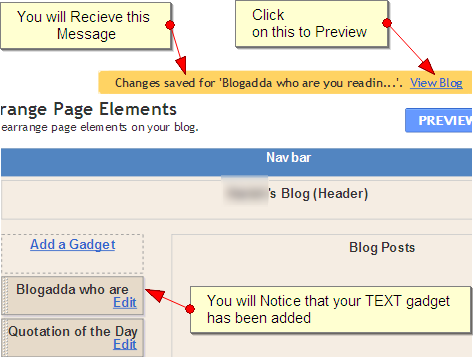
7. You will receive the message ” Changes saved …………….. ” and a option to view the blog. You will also notice that text gadget has been added on your sidebar. You can place It accordingly where you wish.
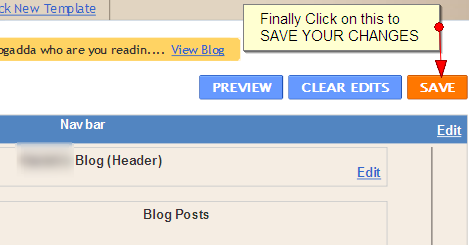
8. Once you are Done. Please Click on the Save Button to Save your Changes!
9. You are Done! You can now view your image on the sidebar in your Blog!
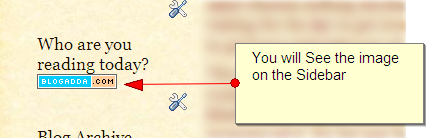
In our next post, we will explain how to insert images in your sidebar at WordPress. Do let us know if you require help on any topics and we can make a tutorial on it. And yes, if you are aware of any shortcuts or tips, do share with the community here.
nice information…..
http://apnidiary.blogspot.com
Nice Post, Images helps a lot.
Hi,
Thanks a lot, was looking around for this and was doing all the trial and error through the HTML edit, this was faster and much easier.
Also do let us know how in Blogspot can one add images in line as at present it takes only one either left right and centre.
THANKS
useful info. thanks
My effort to upload Neocounter has not been successful yet. can you help?
thanks,
i do not hav any “add a gadget” in my layout
what shud i do?
i was not able to insert a picture in my blog. when i click the ‘insert’ icon, a new window came without ‘choose’ button. how to inert picture from my computer to my blog. pl help.
Nice brother. God bless you.
When is the post for WordPress coming out? I have sent my blog for your approval and would hate to miss out on being accepted 🙁 Please help!